

Explore 5 Top Alternatives to SeatGuru for Seat Maps
SeatGuru is officially gone. On October 31, 2025, TripAdvisor shut down SeatGuru without any warning, redirecting all traffic to TripAdvisor’s homepage. After nearly 25 years of helping travelers choose better seats, the site simply vanished overnight.
If you’ve been searching for a SeatGuru replacement, you’re in the right place. This guide covers the 7 best SeatGuru alternatives available right now — tested and ranked by what they actually do well.
- AeroLOPA — most detailed technical diagrams (free)
- SeatMaps.com — closest replacement to SeatGuru (free)
- ExpertFlyer — real-time seat availability (paid)
- SeatLink — search by flight number (free)
- SeatMaestro — user reviews + photos (free)
- Google Flights — basic live seat maps (free)
- Flightradar24 — find your exact aircraft type (free)
What Happened to SeatGuru?
SeatGuru was founded in 2001 by Matthew Daimler as a simple but revolutionary idea: color-code every airline seat as good (green), caution (yellow), or avoid (red). TripAdvisor acquired it in 2007, and for over a decade it was the go-to resource for over 10 million travelers.
The decline began during the COVID-19 pandemic. SeatGuru stopped updating seat maps after March 2020, pulled its apps from the App Store and Google Play, and stopped publishing content entirely. The data grew increasingly stale — airlines retired aircraft, reconfigured cabins, and upgraded interiors, but SeatGuru showed the old layouts.
Then on October 31, 2025, TripAdvisor pulled the plug without any announcement. Anyone visiting SeatGuru.com was redirected to TripAdvisor’s homepage. No goodbye message, no archive, nothing.
The good news: several tools have stepped up to fill the gap — and some are actually better than SeatGuru ever was.
SeatGuru Alternatives Compared at a Glance
| Site | Best For | Search by Flight # | Good/Bad Seat Ratings | Cost |
|---|---|---|---|---|
| AeroLOPA | Technical accuracy, window position | ❌ | Coming 2026 | Free |
| SeatMaps.com | Closest SeatGuru replacement | ✅ | ✅ | Free |
| ExpertFlyer | Real-time availability, upgrades | ✅ | ✅ | $9.99/mo |
| SeatLink | Flight-specific seat data | ✅ | ✅ | Free |
| SeatMaestro | User reviews & photos | ❌ | ✅ (user-based) | Free |
| Google Flights | Quick live availability check | ✅ | ❌ | Free |
| Flightradar24 | Identify exact aircraft type | ✅ | ❌ | Free / $1.99 |
1. AeroLOPA — The Best Technical Seat Map Site

Website: aerolopa.com
AeroLOPA is widely considered the single best replacement for SeatGuru among frequent flyers and aviation enthusiasts. The “LOPA” in the name stands for Layout of Passenger Accommodations — the official technical documents airlines use to describe cabin configurations. AeroLOPA digitizes these documents and makes them available to the public.
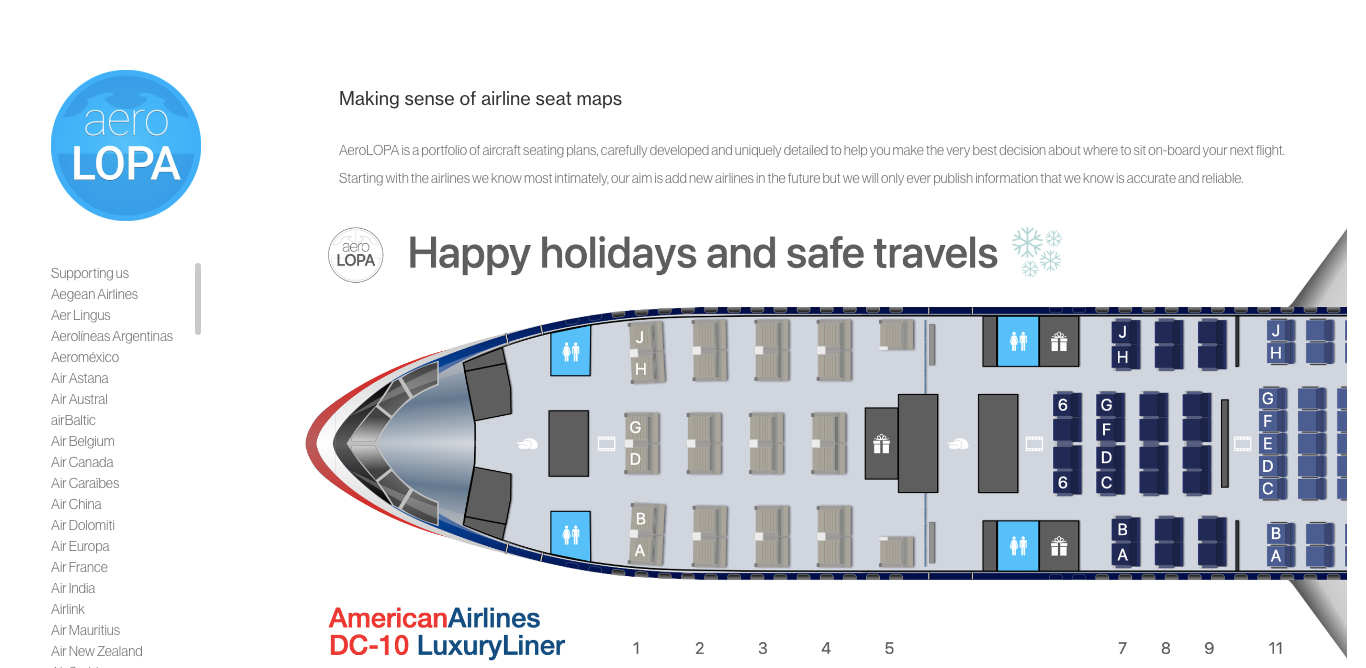
What makes AeroLOPA uniquely powerful is the level of detail. Unlike SeatGuru’s simplified diagrams, an AeroLOPA map shows you the exact position of every window relative to every seat — critical if you want a window view or want to avoid a misaligned seat where you can’t see out. You’ll also see exact bulkhead positions, lavatory locations (including which are handicap-accessible), bassinet placements, seat angles, and even the brand and model of seat installed on the aircraft.
AeroLOPA currently covers over 130 airlines, and the library is growing. In early 2026, the site announced a major redesign that will add peer-to-peer seat ratings, heat maps showing the best and worst seats, and discussion forums — bringing it even closer to what SeatGuru used to offer.
The one limitation: AeroLOPA doesn’t let you search by flight number. You need to know your aircraft type first (e.g., “Boeing 787-9” or “Airbus A350-900”). Find this on your booking confirmation, Google Flights, or via Flightradar24 — then search AeroLOPA for that airline and aircraft combination.
Best for: Travelers who want the most accurate, technically detailed seat maps available anywhere.
2. SeatMaps.com — The Closest Direct Replacement
Website: seatmaps.com
If what you loved about SeatGuru was its simplicity — type in your flight, see a color-coded map — then SeatMaps.com is your answer. Launched in 2020, it was essentially built to replace SeatGuru, and it succeeds at doing exactly that.
SeatMaps lets you enter your flight number, date, and route to immediately see the seat map for your specific aircraft. The site marks good seats, caution seats, and seats to avoid, preserving the color-coding system that made SeatGuru so intuitive. Many seat details on SeatMaps are sourced directly from SeatGuru’s original data, updated and expanded over time.
Beyond the basics, SeatMaps often includes real photos of cabin seats, details on seat width and pitch, recline information, entertainment systems, and power outlet availability. Subscribers can also set alerts for specific seats — so if your preferred window seat is taken, SeatMaps will notify you the moment it becomes available.
Best for: Casual travelers who want a simple, familiar SeatGuru-like experience without a learning curve.
3. ExpertFlyer — Best for Real-Time Availability
Website: expertflyer.com
ExpertFlyer operates at a different level than most seat map tools. Rather than showing static cabin diagrams, ExpertFlyer connects directly to airline reservation systems to pull live, real-time seat availability data for your specific flight.
This means you can see not just where seats are located on the aircraft, but which ones are currently open, which are blocked by the airline, and which have been assigned to other passengers. For frequent flyers trying to score a premium seat, confirm an upgrade, or avoid sitting next to the bathroom, this real-time data is invaluable.
ExpertFlyer costs $9.99 per month (with a free basic tier available), which puts it in a different category than the free alternatives. But for frequent business travelers or points enthusiasts, the subscription easily pays for itself.
Best for: Frequent flyers, business travelers, or anyone trying to maximize seat selection or monitor upgrades on a specific flight.
4. SeatLink — Search by Airline and Flight Number
Website: seatlink.com
SeatLink operates similarly to SeatMaps, letting you search by airline and flight number to find your exact aircraft and seat configuration. What sets SeatLink apart is the breadth of additional information it provides alongside seat maps.
Once you pull up a flight, SeatLink doesn’t just show the seats — it provides direct links to the airline’s pet policy, food and beverage menus, baggage fees, airport lounge information, and frequent flyer program details. It also displays any codeshare partnerships for the flight and includes reviews from well-known aviation bloggers. For travelers who want a one-stop research hub for a specific flight, SeatLink delivers.
Each seat listing includes class, width, pitch, and seat number, giving you enough data to make a well-informed choice before booking.
Best for: Travelers who want seat maps plus comprehensive flight research in one place.
5. SeatMaestro — Community Reviews and Photos
Website: seatmaestro.com
SeatMaestro is a review-based platform where travelers share their personal experiences with specific seats on specific aircraft. Users can upload photos of their seats, write reviews, and rate their experience — providing the kind of human perspective that no official document or diagram can offer.
The site covers 178 airlines and has a large archive of aircraft layouts. While some information can be outdated (as with any user-generated platform), SeatMaestro is particularly valuable for older aircraft configurations and less-common routes that aren’t well covered by more technical tools.
Beyond seat maps, SeatMaestro covers travel tips and gear recommendations, making it a broader travel resource alongside the seat-specific content.
Best for: Travelers who want real passenger experiences and photos rather than just technical specifications.
6. Google Flights — Quick Live Seat Check
Website: flights.google.com
Google Flights isn’t a dedicated seat map tool, but it does something none of the specialist sites can match: it shows you a live seat map for your specific flight in real time, directly integrated with actual booking data. When you search for a flight on Google Flights and click through to the seat selection stage, you’ll see which seats are currently taken and which are open.
The maps are basic — no color-coding for good or bad seats, no pitch or width data — but they’re accurate and always current. Google Flights also shows you the aircraft type, which you can then cross-reference with AeroLOPA for the detailed technical view.
As a first step before diving into specialist tools, Google Flights is a fast, zero-friction way to assess a flight’s seat availability.
Best for: A quick first check on which seats are open before researching further with AeroLOPA or SeatMaps.
7. Flightradar24 — Identify Your Exact Aircraft
Website: flightradar24.com
Flightradar24 is primarily a flight tracking app, but it plays a crucial supporting role in seat research. Airlines often operate multiple versions of the same aircraft — for example, a United Boeing 777-200 can have a completely different cabin layout depending on whether it’s the ER or non-ER variant.
Flightradar24 lets you look up your specific flight and see exactly which tail number aircraft is scheduled to operate it. This gives you the precise aircraft variant, which you can then look up on AeroLOPA for the exact seat map. For high-stakes flights — long-haul business class, a special trip — this level of precision matters.
Best for: Finding out exactly which aircraft variant is on your flight before looking up the seat map elsewhere.
The Best Strategy: Use Two Tools Together

No single tool replicates everything SeatGuru offered, but combining two tools gives you a better result than SeatGuru ever provided:
Step 1 — Check live availability: Use Google Flights or SeatMaps.com to find out which seats on your flight are currently open. This is your practical starting point — there’s no point researching a seat that’s already taken.
Step 2 — Research the details: Once you’ve identified available options, look up those specific seats on AeroLOPA. You’ll see precise window alignment, exact legroom, bulkhead proximity, and lavatory distance. This tells you whether the available seat is actually worth taking.
For most travelers, this two-step process takes under five minutes and gets you far better information than SeatGuru ever provided in its prime.
Frequently Asked Questions
Is SeatGuru completely gone?
Yes. SeatGuru was officially shut down on October 31, 2025 by TripAdvisor. The domain now redirects to TripAdvisor’s homepage. There is no archive or cached version of SeatGuru available through the official site.
What is the best free SeatGuru alternative?
For most travelers, SeatMaps.com is the best free alternative because it closely mirrors SeatGuru’s interface — you can search by flight number and get color-coded good/bad seat ratings. For more technical detail, AeroLOPA is the better choice and is also free.
Does AeroLOPA show which seats are good or bad?
Not yet in its current form. AeroLOPA provides precise technical diagrams that allow you to draw your own conclusions — for example, you can see that a specific seat is directly next to a lavatory or has a misaligned window. A major update planned for 2026 will add peer-to-peer seat ratings and heat maps highlighting good and bad seats.
Can I look up seat maps by flight number?
Yes — SeatMaps.com, SeatLink, ExpertFlyer, and Google Flights all let you search by flight number. AeroLOPA requires you to know your aircraft type first.
What happened to SeatGuru’s data after it shut down?
SeatGuru’s seat map data has not been made publicly available. Some of it was incorporated into SeatMaps.com before the shutdown. The rest is effectively gone unless it was archived by third parties.
Is ExpertFlyer worth paying for?
For frequent flyers — especially business travelers or points enthusiasts trying to confirm upgrades — yes. ExpertFlyer’s real-time airline reservation system data is uniquely valuable and not available through any free tool. For occasional travelers, the free alternatives are more than sufficient.
How do I find out what aircraft is on my flight?
Check your booking confirmation email — most airlines list the aircraft type. Alternatively, search your flight number on Google Flights or Flightradar24, both of which display the aircraft type and sometimes the specific tail number.
Which SeatGuru alternative is best for long-haul flights?
For long-haul international flights, use AeroLOPA for the detailed cabin layout (business class configurations, seat angles, lie-flat positions) combined with ExpertFlyer or SeatMaps to check live availability and seat recommendations. For premium cabin research, AeroLOPA’s precision is particularly valuable.
The Bottom Line
SeatGuru’s closure left a real gap for millions of travelers who relied on it. But the replacement options are genuinely good — and in some ways better. AeroLOPA’s technical precision surpasses anything SeatGuru offered. SeatMaps fills the gap for casual travelers who want the same quick, color-coded experience. ExpertFlyer adds live data that SeatGuru never had.
The main adjustment is that no single tool does everything anymore. But the two-tool workflow — SeatMaps for a quick overview, AeroLOPA for technical detail — takes just a few extra minutes and gives you more confidence in your seat choice than SeatGuru ever could.
Bookmark both. Your future self (and your knees) will thank you.
